

AUTOMATER.ai
A tray helper for every AI coding tool: sessions, alerts and usage in one place
About AUTOMATER.ai
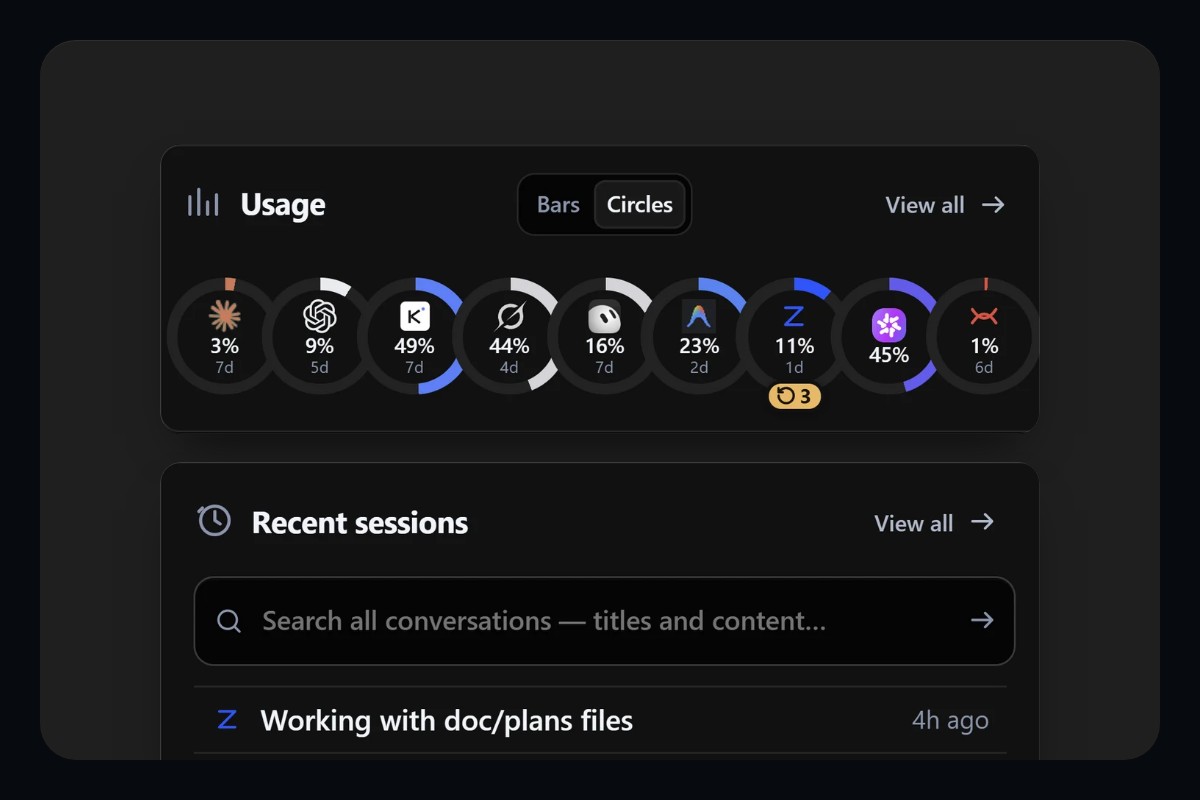
Automater functions as a background desktop command center for software engineers orchestrating concurrent AI programming assistants. Running quietly in the system tray across Windows, macOS, and Linux, the application automatically discovers and parses session log transcripts written to disk by terminal CLIs and code editors. By centralizing these disparate session files into an indexed local repository, developers can search past agent prompts, examine diff histories, and retrieve prior conversational contexts without hunting through scattered cache directories.
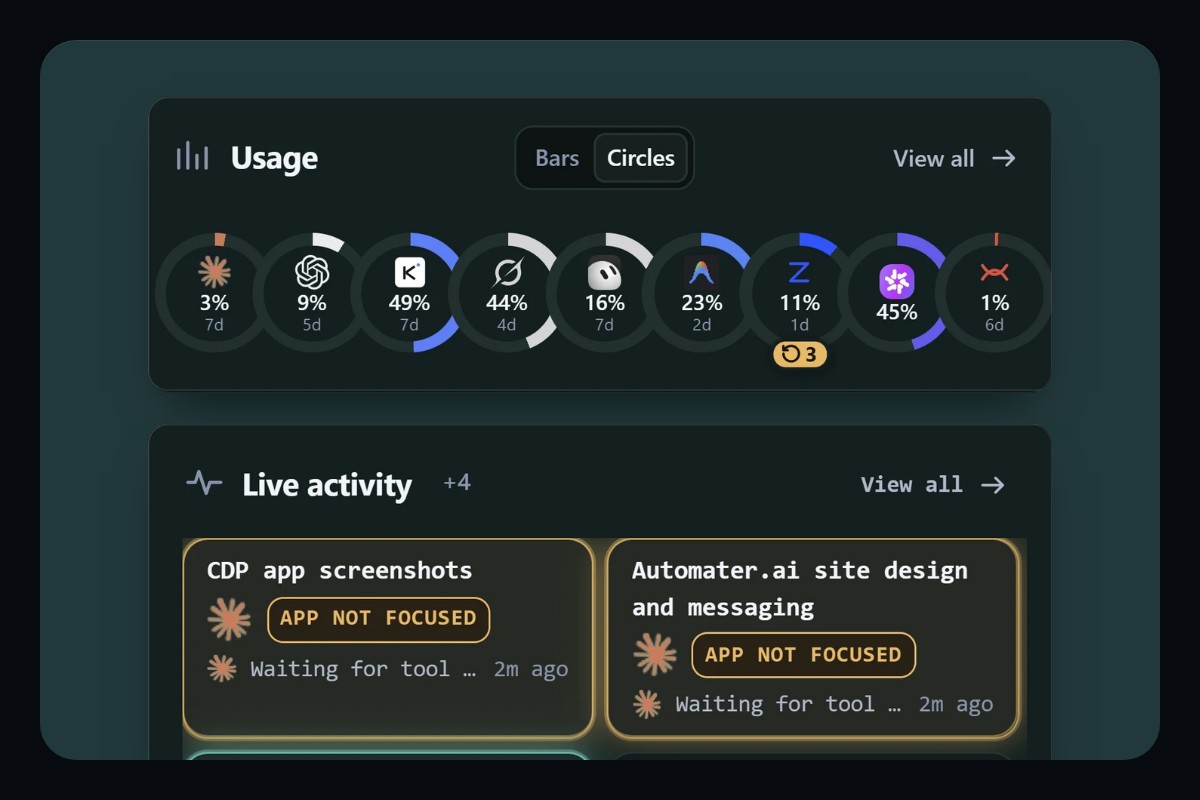
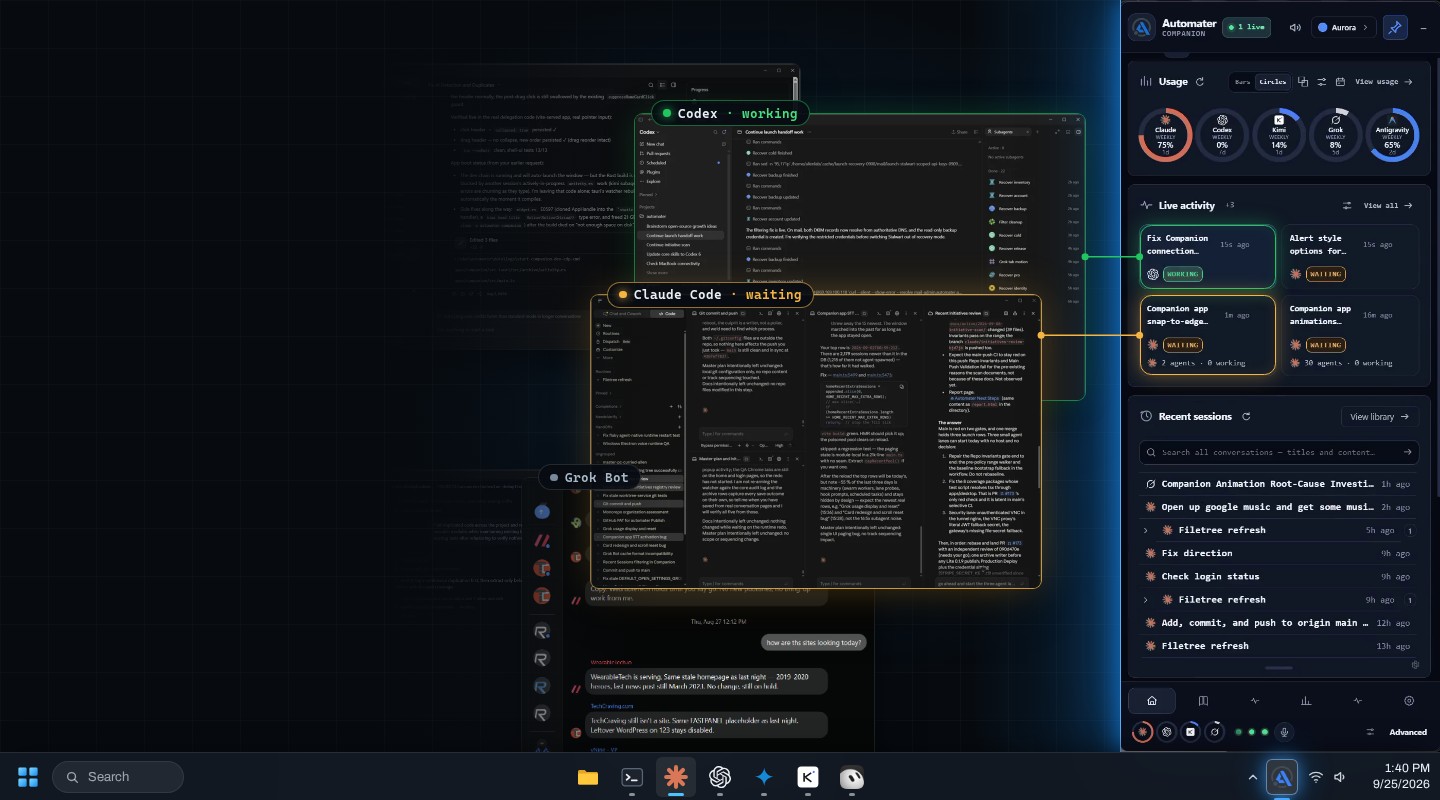
Beyond historical session indexing, the utility provides real-time operational oversight for active autonomous tasks. When long-running coding agents pause to request confirmation, require terminal authorization, or encounter execution roadblocks, Automater triggers immediate desktop notifications so developers can intervene promptly. It also aggregates usage metrics across multiple model providers, allowing users to track consumption quotas, token burn rates, and rate limit boundaries from a single status window.
The software is distributed through a freemium desktop model with full local privacy architecture. The Lite edition operates entirely on the local machine without requiring user account registration or remote data transmission. For power users needing advanced synchronization and expanded monitoring capabilities, a paid yearly license activates extended controls while continuing to store session transcripts directly on the developer's local drive.
Screenshots (3)
Works with
Features
- Session library: 41 tools in 45 formats, searchable by title and full conversation content
- Waiting alerts: see which agent sessions are working and which need your input
- Cross-provider usage dashboard aggregating consumption limits across 9 model infrastructure services
- Real-time tray notifications alerting developers when autonomous agents require approval or stall
- Local-first architecture ensuring conversational logs and code diffs remain on the user disk
Use Cases
- Find the conversation where an agent solved a problem last week, whichever tool you used
- Running multi-agent workflows locally without uploading session transcripts to third-party cloud servers
- Monitoring token burn rates and remaining rate quotas across multiple API providers from one tray menu
- Reviewing historical diff modifications made by autonomous coding assistants across local development repositories
- Searching past AI programming sessions to recover generated configurations and forgotten command arguments
Verified facts
Checked by the StackLedge team.
FAQ
Does Automater require an internet connection to index session logs?
No, the core session reader scans local log files and directories already present on your hard drive, functioning entirely offline without transmitting your interaction histories to remote cloud infrastructure.
How does the free Lite version differ from Automater PRO?
Automater Lite is permanently free with no account registration required, offering basic local session reading and alert features. The PRO tier starts at $15 per year and adds advanced workflow tracking, extended telemetry, and expanded synchronization options.
Which operating systems are natively supported?
The application is packaged natively as a desktop tray program for Windows (x64), macOS (Apple Silicon), and Linux (x86_64 distributions).
What coding assistants and CLI tools can it monitor?
It recognizes logs and session structures from over 41 utilities, including Claude Code, Cursor, OpenAI Codex CLI, Gemini CLI, Antigravity CLI, Grok, Kimi Code, and GitHub Copilot.
Can Automater track usage limits across multiple AI accounts?
Yes, the built-in usage tracker consolidates token allotments, quota windows, and tier limits across nine distinct AI model and infrastructure providers into a single unified menu.
Similar tools
More in AI Tools

Balsa UI
An agent-native, open-code component system for Vue and React — create design systems and build UI with AI agents.
Cronloop
Create AI agents that run on a schedule — from every 5 minutes to weekly. Describe the job in Markdown, pick Codex or Claude Code, connect your tools, done.

Vois
A local AI voice generator studio with 100+ natural voices, voice cloning and audio mastering — unlimited generation, no per-character fees.
Discussion (0)
Log in to join the discussion.
No comments yet.