

CopyChecker's Plagiarism Checker
Free plagiarism checker to scan text for similarity and sources.
About CopyChecker's Plagiarism Checker
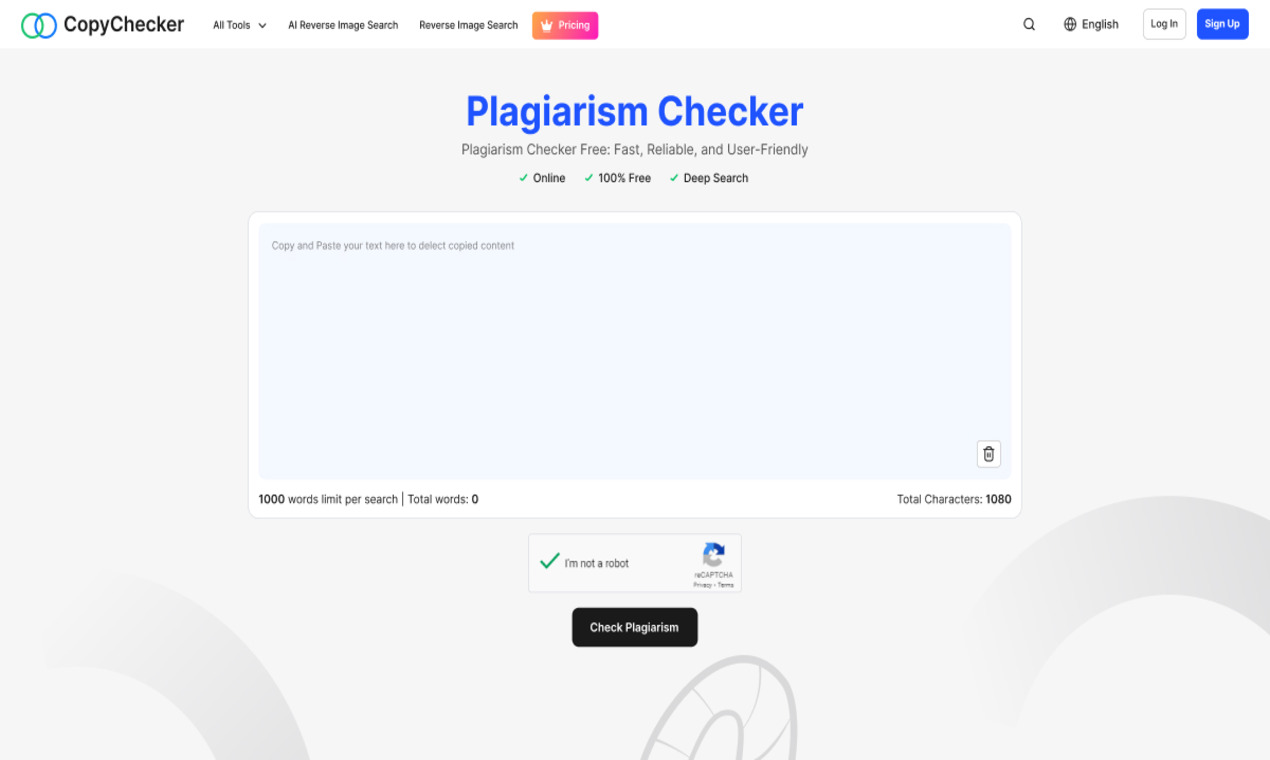
CopyChecker delivers a browser-based text verification and document processing workbench. Its primary module scans submitted copy against indexed web pages and academic databases, flagging identical phrasing, paraphrased passages, and percentage similarity scores. Alongside duplicate detection, the system identifies automated writing patterns, generates formatted academic citations, and calculates readability scores across submitted manuscripts.
Beyond text validation, the platform incorporates daily document utilities covering file manipulation and image investigation. Users can edit, merge, split, compress, and digitally sign PDF documents directly through the web interface, as well as extract editable text from scanned pages using optical character recognition. Additional utilities include reverse image lookups, text difference comparisons, case converters, and media asset downloaders.
The platform operates on a freemium model with web-accessible tools available without requiring credit card registration. Individuals needing higher scanning limits, deeper web sweeps, and exportable PDF audit reports can subscribe to modular paid plans or complete creator bundles. Workflows are conducted through direct browser uploads and paste fields, making it suitable for ad-hoc content audits without software installation.
Screenshots (1)
Works with
Features
- Check up to 1,500 words per month for free
- Highlighted matches for easy review
- Downloadable PDF reports for paid plans
- Optical character recognition engine extracting text from scanned image documents
- Paid subscriptions allowing users to purchase individual tools or bundles
Use Cases
- Verify originality of academic papers
- Ensure content uniqueness for blog posts
- Review text before publication for potential issues
- Converting scanned PDF assignments into editable digital text using browser OCR
- Comparing two document revisions side by side to identify exact line-by-line diffs
Verified facts
Checked by the StackLedge team.
FAQ
How many words can I check at once?
Each plagiarism check supports up to 1,000 words per submission.
What file formats can I upload?
You can upload PDF, DOC, DOCX, or TXT files up to 5 MB.
Can I download my plagiarism report?
Paid plans allow you to download plagiarism reports in PDF format for review and sharing.
Can users export detailed similarity scan results?
Yes, paid accounts can generate and download comprehensive PDF audit reports detailing similarity percentages, matched web links, and highlighted duplicated passages.
Does CopyChecker offer direct integrations with CMS platforms like WordPress?
No, CopyChecker does not provide native plugins or integrations for WordPress or learning management systems. Content must be evaluated manually by pasting text or uploading files to the web dashboard.
Similar tools
More in SaaS
Basedash
AI-native business intelligence — build charts, dashboards and reports in seconds from all your data, no SQL required, and share them with anyone via a live lin

Edgemetry
Privacy-first, self-hosted web analytics you run on Cloudflare's free tier. One Worker, one D1 database, no cookies, no consent banner.

Quick Image Converter
Quick Image Converter converts, compresses, resizes, and batch-processes images directly in a browser without registration
Discussion (0)
Log in to join the discussion.
No comments yet.