
DisplaySwitcher
Switch monitor inputs and transfer text and files between Linux, macOS, and Windows without network or firewall configuration.
About DisplaySwitcher
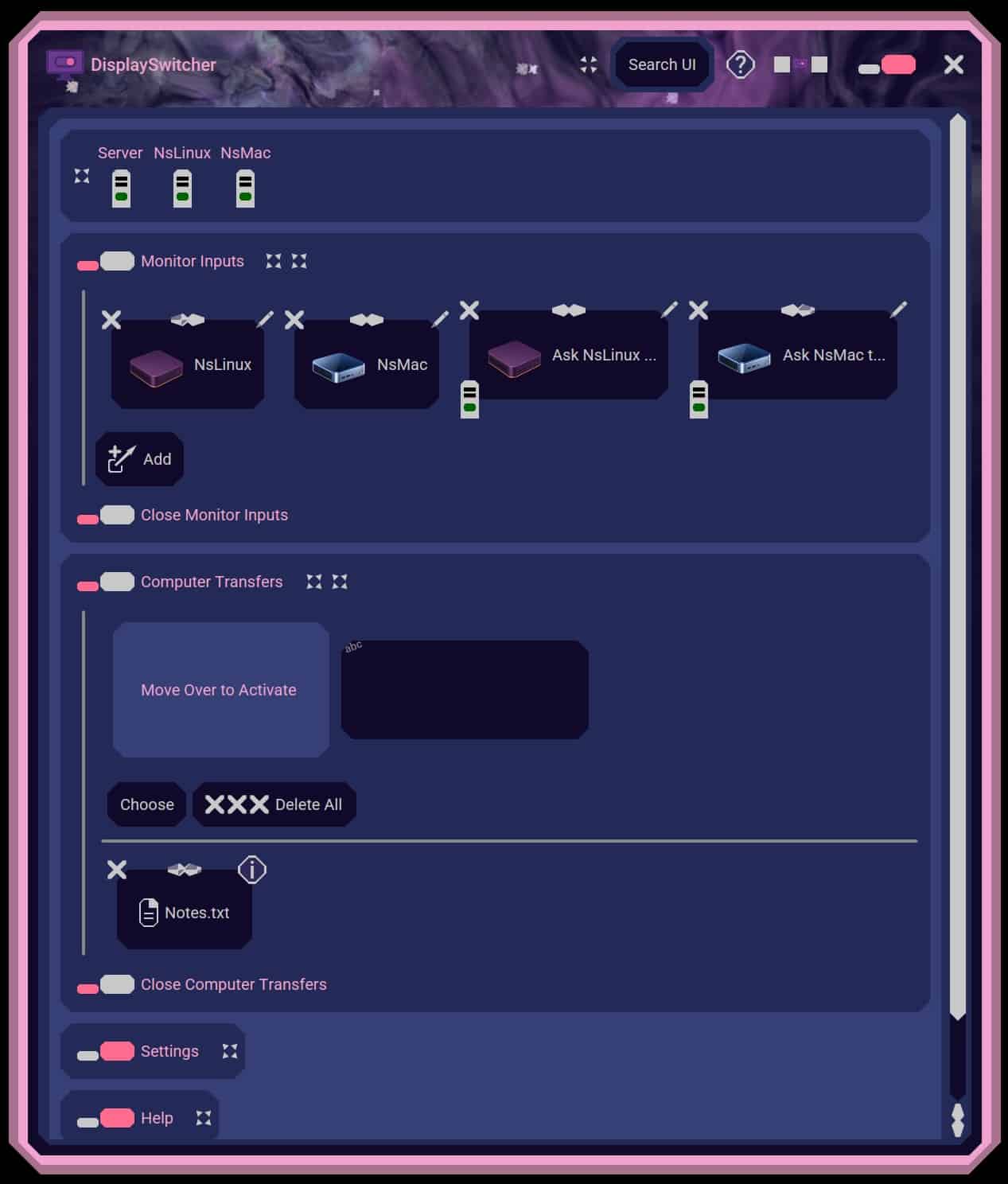
DisplaySwitcher is a desktop application for Linux, macOS, and Windows that combines monitor input switching with text and file transfers between computers.
Switch a monitor’s video input with a software button instead of reaching for its physical controls. If one computer cannot switch the monitor directly, another connected computer capable of switching it can perform the action.
Transfer text and files using cut-and-paste, drag-and-drop, or file browsing. No network or firewall configuration necessary.
$5.95 per month with a one-month free trial.
Screenshots (1)
Works with
Features
- Switch monitor video inputs with a software button.
- Transfer text and files across Linux, macOS, and Windows.
Use Cases
- Share a monitor among up to three computers in a development setup.
- Move text and files between computers running different operating systems.
FAQ
Which operating systems does DisplaySwitcher support?
DisplaySwitcher runs on Linux, macOS, and Windows. You can use it with up to three computers.
What does monitor input switching require?
Connect your computers to separate video inputs on a monitor that supports DDC/CI. If one computer cannot switch the monitor directly, another connected computer capable of switching it can perform the action.
How do I transfer text and files between computers?
Use cut-and-paste, drag-and-drop, or file browsing to transfer text and files between computers. No network or firewall configuration necessary.
How much does DisplaySwitcher cost?
DisplaySwitcher costs $5.95 per month and includes a one-month free trial. Payment details are required to start the trial.
Where can I find help and support?
Visit https://docs.nebulasoftware.com/displayswitcher for documentation and installation instructions. The app also includes built-in help with videos and documents, and lets you record a video and attach a log file when contacting support.
Similar tools
More in Developer Tools

Orisift
Orisift is a developer API for phone, email, IP, and domain validation with evidence-backed risk signals and one shared credit balance

Egmatic
Egmatic is a coming-soon no-code editor and engine for creating and publishing 2D games across five platforms

Kitset SEO Launch Kit
Kitset SEO Launch Kit creates SEO titles, meta descriptions, SERP previews, robots rules, sitemap entries, and starter schema markup
Discussion (0)
Log in to join the discussion.
No comments yet.